Build orders
Your build order, floating over the game
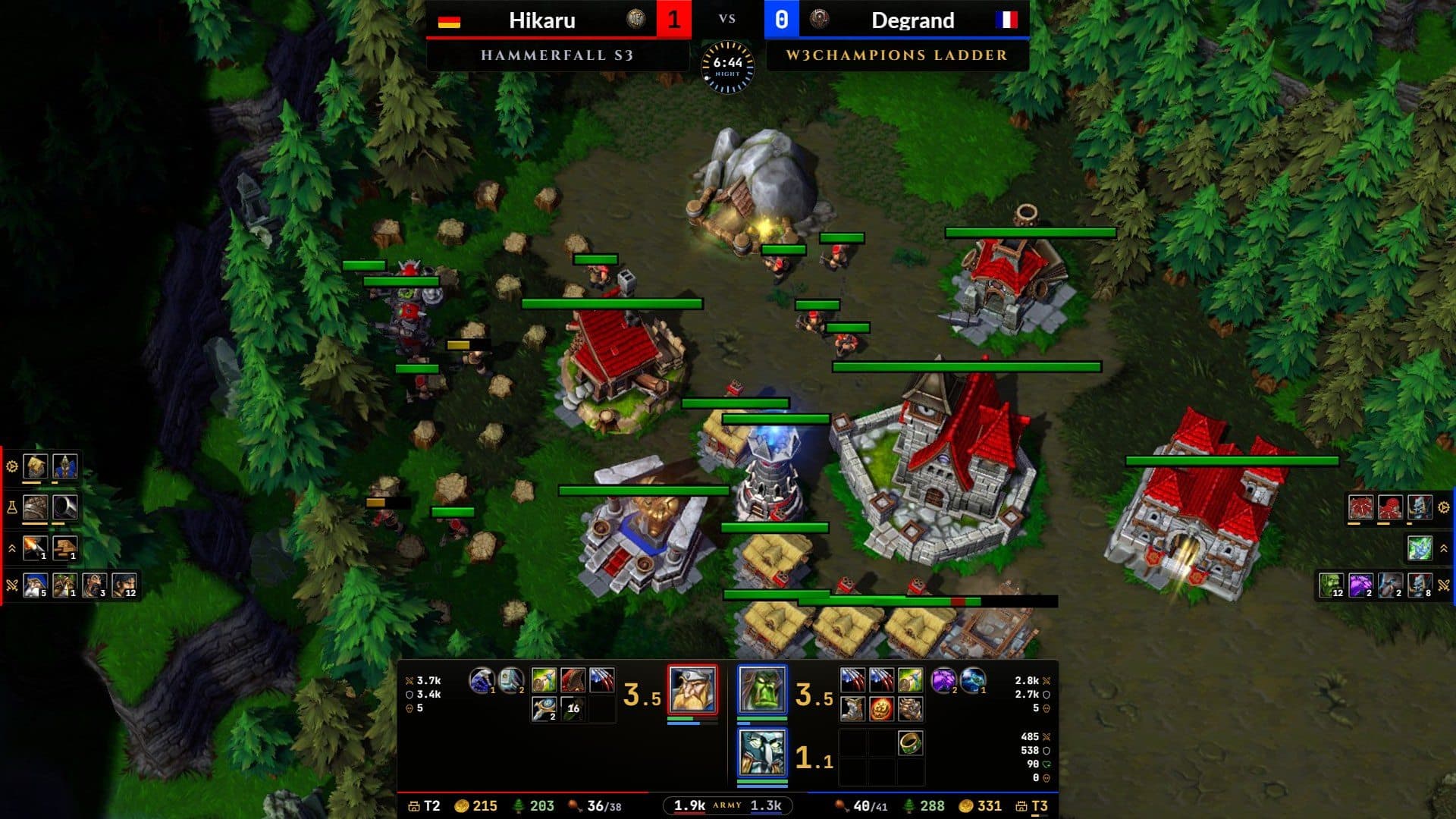
A small panel stays on top of Warcraft III with the step you are on, its time and the next ones. Its clock follows the game by itself, and your clicks go through it to the game.
Free · Windows 10 and 11 · updates itself
Synced to the game clock
It starts with each game, pauses when the game pauses and goes back to 0:00 when it ends. Nothing to start, pause or reset.
Over the game, out of the way
A small transparent panel on top of Warcraft III. Your clicks go through it to the game; move it by its handle and set its background's opacity.
Global shortcuts
Show or hide it with Ctrl+Shift+B while the game has focus. Change any shortcut in Settings, or use a single key like F5.
Peek ahead
Peek at the next or previous step without losing your place; the overlay returns to the current step by itself after a few seconds.
Your builds, private
They live on your computer: filter by race, opponent, difficulty or text; duplicate, edit, export a file for a friend or back up them all.
A step-by-step editor
Each step has a time, a food count, an icon from Warcraft III's full command-button set and the instruction, plus notes, tags and the patch.
Three ways to start
Get a build in a minute
Write your own, take it from any game you played or watched, or bring one from a build page.
- 01
Write it
Open the editor and write the build step by step, or duplicate one of yours and tweak it.
- 02
Take it from a game
Pick one of your last W3Champions games or a replay on your computer, drop a .w3g file or paste a match link. Cancelled orders are left out, so the timings match the game.
- 03
Paste a build page link
Paste a build page's link and the build opens in the editor with its steps, times, food and icons, ready to save as yours.
Up close
Every step, on time
The current step in gold with its time, the next ones underneath, and the clock that follows the game.
Also in W3 Companion
One app, every game
Scouting
Your opponent's form, records and habits as the game starts.
Game reports
What won it or what cost it, with the numbers behind it.
Profile
Your strengths, your matchups and your MMR line.
Achievements
Over 270 painted badges, bronze to diamond.
For casters
A broadcast stream overlay for OBS, filled live from the game.


Download
Ready for your next game?
Free for Windows 10 and 11. Always the latest release, and installed copies update themselves.
Or browse every release on GitHub.